

Unlike the Email Finder, this tool does not generate an email – it only validates the one you already have.
How Generect Validates Emails
Generect performs a multi-layered validation process to ensure maximum accuracy for every email address. Validation process: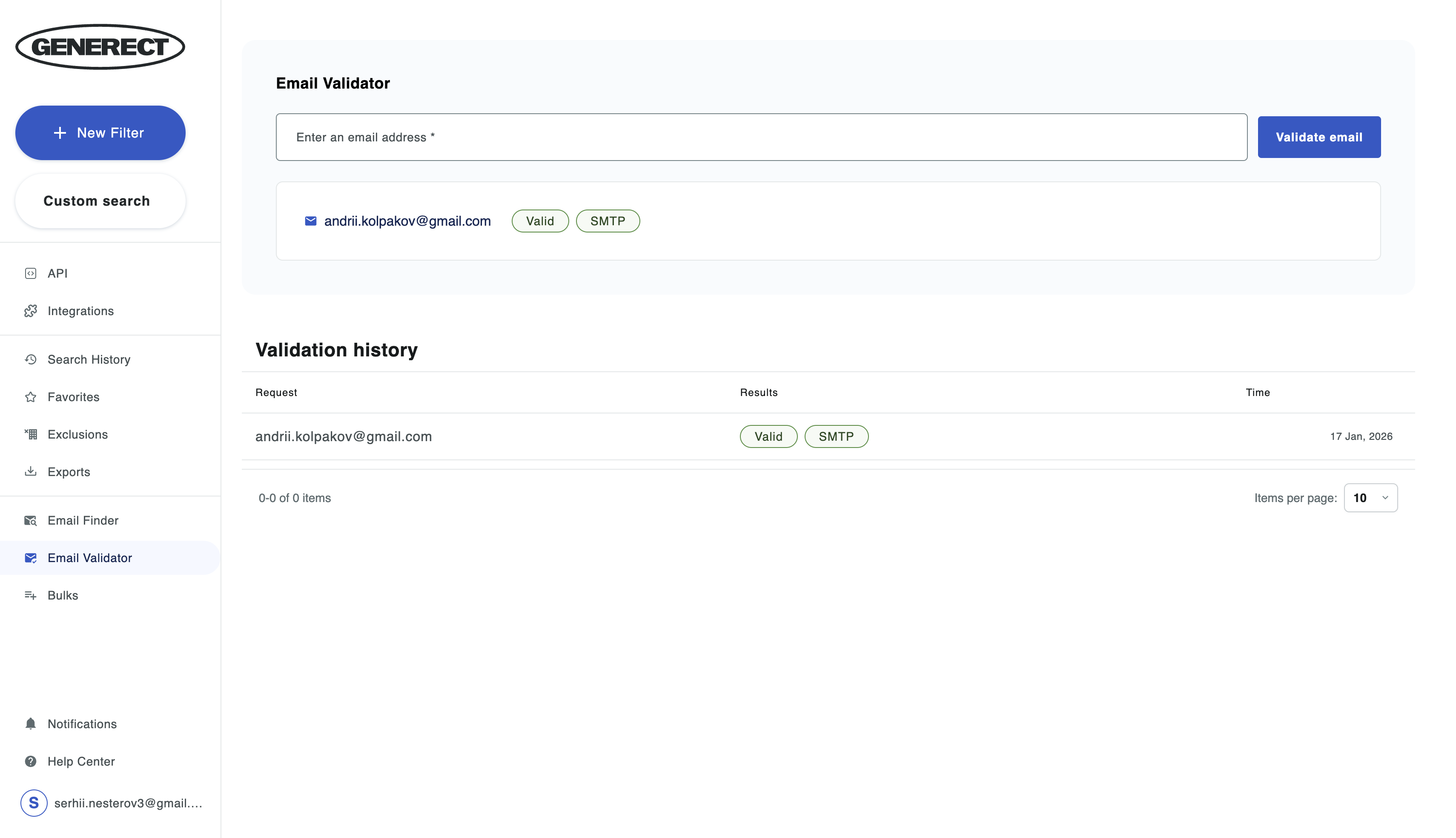
Syntax Check
Verifies whether the email is written correctly (presence of ”@”, domain format, allowed characters, etc.).SMTP Verification (core step)
Generect sends a request to the email server to determine:- whether the mailbox exists
- whether the server accepts mail
- whether the domain is configured as catch-all
Catch-All Detection
If a domain accepts all emails – even for non-existing addresses – Generect marks it as Catch-All.Additional Signals
The system also analyzes:- historical deliverability data
- previous validation results
- domain behavior patterns
Possible validation statuses
- Valid – the address exists; the server confirmed mail acceptance.
- Invalid – the mailbox does not exist or the server rejected it.
- SMTP – the server does not provide a clear response (common on protected domains).
- Catch-all – the domain accepts any email, real or not; true deliverability is uncertain.
- Unknown – the server did not respond or provided an ambiguous response.
What the user receives
- A clear validation status (Valid / Invalid / Catch-All / SMTP / Unknown)
- Technical verification details
- Automatic logging in Validation History
- Ability to export, filter, and clean lists based on validation results
How to Validate a Single Email (Email Validator)
The Email Validator section allows you to manually check one email at a time. How it works:- Go to Email Validator.
- Enter an email address into the form.
- Click Validate email.
- The system performs an SMTP check and displays the result.
- Status (Valid / Invalid / Catch-all / SMTP / Unknown)
- Validation date
Bulk Email Validation
This module is used when you already have a list of email addresses and want to validate them all at once. How to run Bulk Validation:- Go to Bulks → Bulk email validation.
- Upload a CSV or XLSX file containing:
- Click Upload file.
- The system processes each email individually.
- Results appear in the table and are available for export.
- Status: Valid / Invalid / Catch-all / Unknown / SMTP
- Validation source
- Date of validation
- % of valid emails
- count of catch-all addresses
- count of invalid addresses
- number of unknown / SMTP results
Catch-All Email Validation
Learn about advanced validation for catch-all domains