

Remote MCP works with Claude (web and Desktop) and other MCP-compatible
clients. For local installation via npx, see
Local MCP (npx).
Server Information
| Property | Value |
|---|---|
| Registry ID | com.generect/generect-mcp |
| Remote URL | https://mcp.generect.com/mcp |
| Transport | Streamable HTTP |
| Auth | Bearer Token (API Key) |
Claude Desktop — Custom Connectors
Navigate to Connector Settings
Open Claude Desktop. Click on your profile icon and select Settings from the dropdown menu. Then click on Connectors in the sidebar.
Add a Custom Connector
Scroll to the bottom and click Add custom connector.Enter the Generect MCP server URL:Leave Advanced settings empty.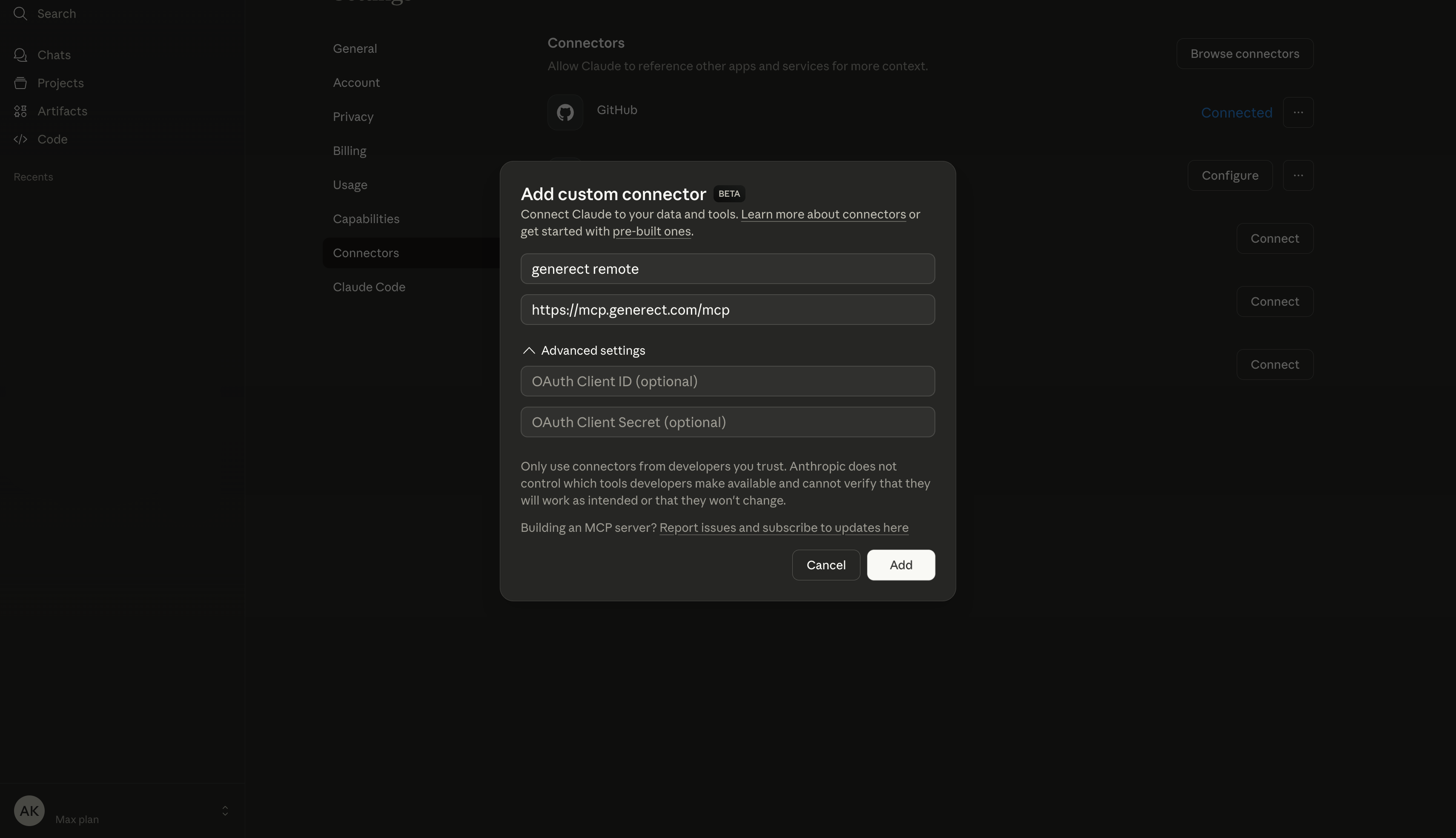 Click Add to proceed.
Click Add to proceed.Complete Authentication
Then click on “Connect”. You will be redirected to login page.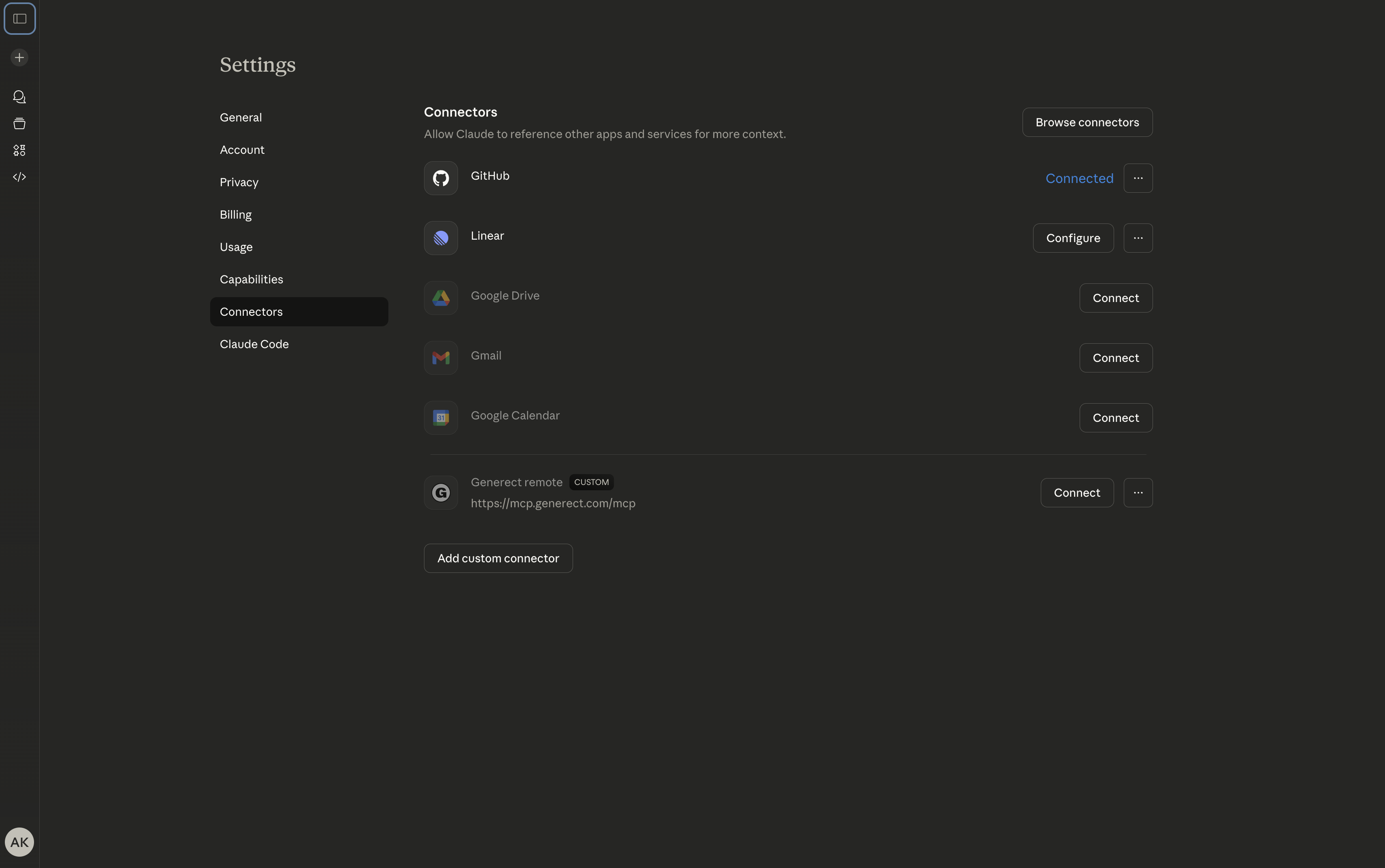 Get your API key from beta.generect.com and enter it on the login page.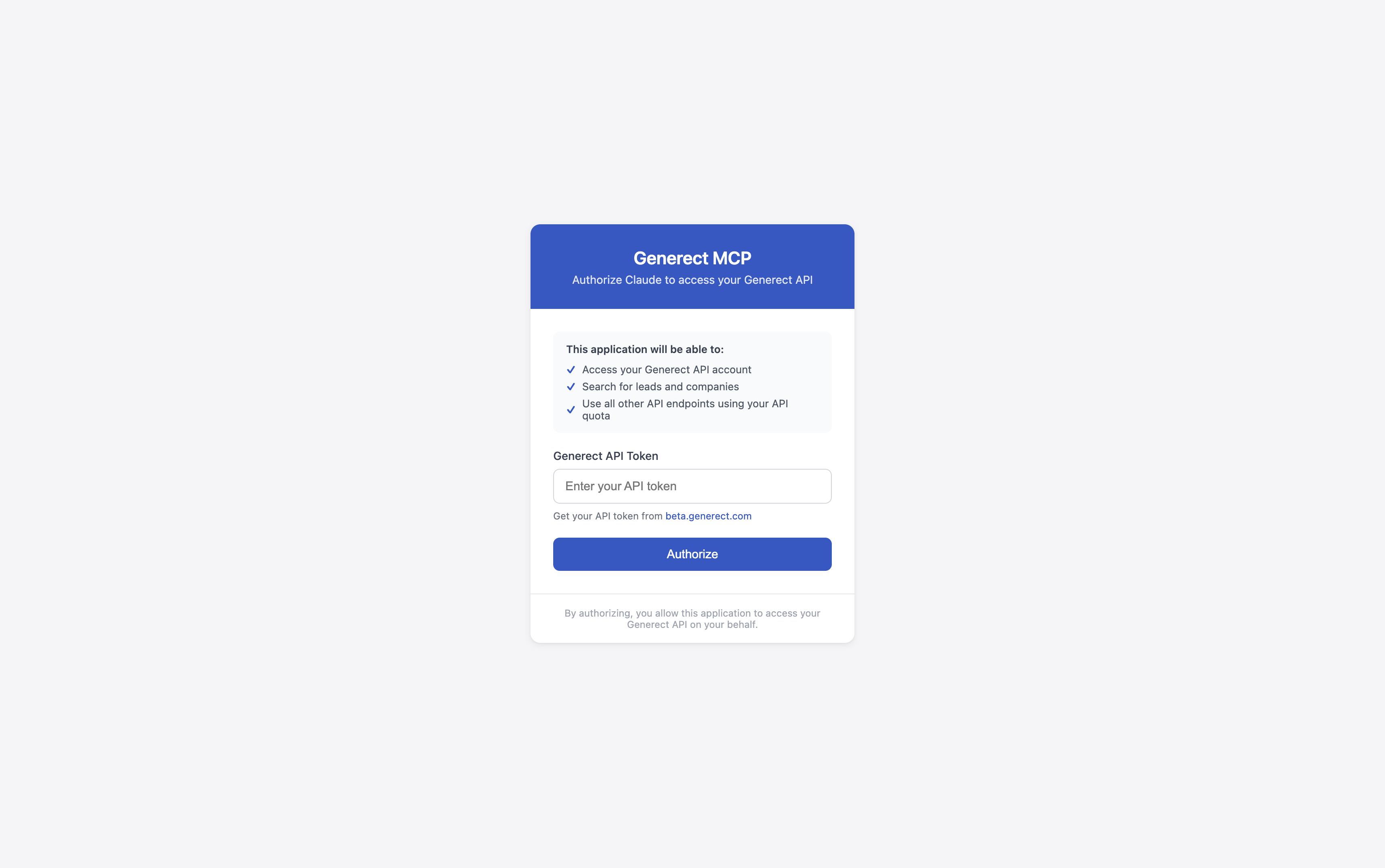
Get your API key from beta.generect.com and enter it on the login page.
Other Clients (Cursor, OpenAI, etc.)
Integration with other MCP-compatible clients follows the same pattern:- Find the MCP/Connector settings in your client
- Add a remote MCP server with URL:
https://mcp.generect.com/mcp - Configure authentication with your API key as a Bearer token
Each client has its own configuration method — look for “MCP”, “Connectors”,
or “Tools” in settings. Some clients may require editing a config file, others
provide a UI.
Remote MCP vs Local MCP
| Feature | Remote MCP | Local MCP (npx) |
|---|---|---|
| Installation | None required | Requires Node.js & npx |
| Configuration | URL or registry ID | Command + args in config |
| Access | Any MCP-compatible client | Requires local setup |
| Offline access | Not available | Available (with cached data) |
| Updates | Automatic | Manual (@latest) |
Available Tools
The MCP integration provides access to the followingGenerect API functions:
search_leads: Search for leads by ICP filterssearch_companies: Search for companies by ICP filtersgenerate_email: Generate an email using first/last name and domainget_lead_by_url: Get LinkedIn lead by profile URLhealth: Quick health check against the API
MCP Registry
Generect MCP is registered in the official MCP Registry:- Registry:
com.generect/generect-mcp - Repository: github.com/generect/generect_mcp